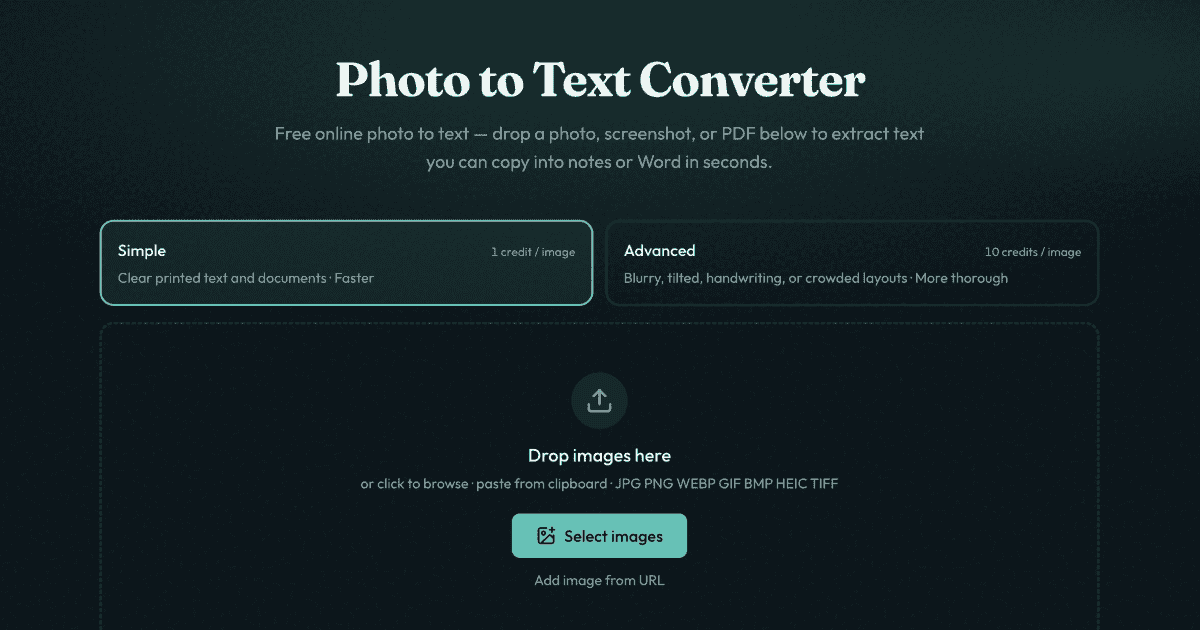
Photo to Text Converter is a free online SaaS solution designed to effortlessly extract editable text from various image and document formats. It serves as an indispensable tool for anyone needing to quickly convert photos, screenshots, and PDF files into usable text for notes, Microsoft Word documents, or Excel spreadsheets, significantly reducing manual retyping efforts.
Businesses can significantly improve efficiency by converting receipts and invoices into structured Excel data, automating expense tracking and financial analysis. Furthermore, it's ideal for extracting text from screenshots where direct selection is disabled, or for digitizing physical documents and PDF scans into accessible, editable formats.
Key Features
- Fast and accurate OCR for real photos, screenshots, and PDFs.
- Direct conversion of images to editable text, eliminating manual data entry.
- Seamless copying of extracted text into Word, Docs, or email, with dedicated JPG to Word conversion for full .docx files.
- Intelligent extraction of tables from receipts, screenshot grids, and paper documents directly into editable Excel spreadsheets.
- Broad format support including JPG, PNG, PDF, WEBP, GIF, BMP, HEIC, and TIFF.
- Offers 'Simple' mode for clear shots and 'Advanced' mode for challenging images like blurry photos, handwriting, or crowded layouts, powered by DeepSeek OCR and GLM OCR.
Use Cases
This versatile text extractor streamlines numerous daily tasks. For professionals, it transforms scanned documents, locked screenshots, or printed worksheets into editable Word files, making content reusable and searchable. Students can quickly pull text from lecture slides or book pages into their notes without tedious typing.Businesses can significantly improve efficiency by converting receipts and invoices into structured Excel data, automating expense tracking and financial analysis. Furthermore, it's ideal for extracting text from screenshots where direct selection is disabled, or for digitizing physical documents and PDF scans into accessible, editable formats.
Pricing Information
Photo to Text Converter operates on a freemium model. Users can start converting images and PDFs to text for free without requiring a sign-up. For higher volume conversions or access to the 'Advanced' OCR mode, credits and paid plans are available.User Experience and Support
The platform boasts a highly intuitive user interface, allowing users to simply drag and drop files or paste from the clipboard to initiate text extraction in three easy steps. No sign-up is required to begin, ensuring immediate access. User privacy is paramount; no data is transmitted or stored for guest conversions. For signed-in users, results history is available and can be deleted anytime, with unused results automatically cleared after 14 days. Support is available via email at support@photototext.ai.Technical Details
The service leverages powerful Optical Character Recognition (OCR) technology, specifically mentioning DeepSeek OCR and GLM OCR models, to ensure high accuracy in text extraction. It is an entirely web-based solution, accessible from any browser.Pros
- Completely free to start, no sign-up needed.
- Fast and efficient text extraction from diverse sources.
- Dedicated converters for Word and Excel output.
- Strong privacy protection for guest users.
- 'Advanced' mode handles complex image challenges.
- Supports a wide array of image and document formats.
Cons
- Free tier may have volume or feature limitations (e.g., Advanced mode requires credits).
- No explicit API for integration with other systems mentioned.
- Handwriting recognition, while supported by Advanced mode, can still vary in accuracy depending on legibility.
Conclusion
Photo to Text Converter offers a robust, user-friendly, and privacy-conscious solution for anyone needing to convert images and PDFs into editable text. Its ability to handle both simple and complex extraction tasks, coupled with direct integration options for Word and Excel, makes it an invaluable productivity tool. Explore Photo to Text Converter today to streamline your document workflows and eliminate manual retyping.Comments
Publisher

Launch Date2026-08-20
Platformweb
Pricingfreemium
Tech Stack
#web#OCR
Outbid
View🥇 🥈
🥈 🥉
🥉
Want this spot? Pay what you wantBoost Domain Rating - Boost Domain Rating is a platform to discover and upvote the best tech products. Find top products launching daily.
Boost Domain Rating is a platform to discover and upvote the best tech products. Find top products launching daily.
$35
DirEasy - The Best Directory Boilerplate with AI | DirEasy
The best directory boilerplate, packed with AI, Listings, Payment, Submission, CMS, Blog, Authentication, Newsletter, SEO and more.
$30
Quiz Shot - Solve Any Screenshot Question in Seconds.
AI Study Assistant that answers any screenshot question. Get free AI tutor and step-by-step math and homework help with ChatGPT.
$25